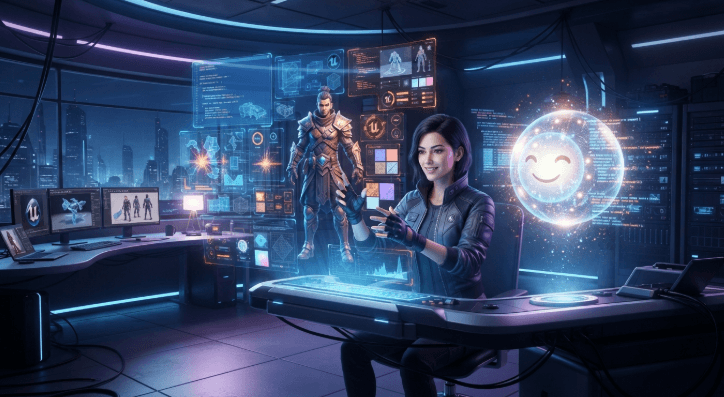
Ever dreamed of a game but thought it was impossible to make on your own? Whether you have a cool concept for a character, world, or challenge but haven’t yet figured out how to make it into a game. Programming and complex development software can make the process intimidating, particularly if you’re new to it.
The good news is that AI is making game development more accessible. Platforms like Astrocade also provide a way for novice game developers to play around with game creation and get their simple ideas off the ground. In this tutorial, you will discover how AI integration can assist with concepts, assets, design, and other elements of game development.
Build Games Easily
Making your first game doesn’t have to involve a massive design document. You start evolving a partial concept and decide on what the player does. They need to perhaps collect objects, run from enemies, solve puzzles or reach a specific area. Having one clear, concrete goal also gives you a nice launching point for your project.
AI-powered development solutions could also guide you in organizing that concept into a game nucleus. You can play around with the characters, the places, the obstacles, the game mechanics. Instead of trying to understand everything all at once, you can work on a little bit at a time and build your project gradually out of parts.
Generate Game Ideas
Coming up with an original game idea can sometimes be harder than building the game itself. You may have a general concept but can’t quite come up with what the player is supposed to do. AI can help you brainstorm ideas and expand a simple thought into multiple game concepts.
So you could have an idea of a character exploring a mysterious island. AI can help you come up with enemies, puzzles, rewards, environments, and story. You don’t have to use every suggestion. Choose the ones that suit your vision and modify them to make the game your own.
Create Game Assets
Game assets are crucial for any game project. These may be characters, backgrounds, objects, icons, sounds, or any other elements that is visual. Doing it all by hand can be very time-consuming, especially if you’re a solo developer.
AI-assisted tools allow you to brainstorm on ideas for these assets faster. You might want to use them to experiment with character styles, environment concepts, background ideas or visual themes. That way you can have something to start with before you polish the assets for your real game.
Improve Game Design
The enjoyment of the game is based on sound game mechanics and good design that are easy to understand. Players need to always know what to do and never be uncertain about where they want to go. Knowing what to do, having good controls, well paced challenges and a rewards system that keeps you motivated can all contribute to making a game fun to play.
You may discover that AI can also assist in brainstorming ways to increase those things. You could ask for ideas to increase level challenges, or for potential game mechanics. But take the advice with a grain of salt. A tool can make suggestions, but you’re the one who ultimately knows what’s best for your game.
Develop Games Faster
Developing a game can be a very drawn-out process when all is said and done by the developers alone. AI has the potential to simplify aspects of that work, offering help with brainstorming, planning, creating content and other laborious tasks. Accelerating this phase allows you to dedicate more time to those aspects of the game that gain the most from your personal touch.
It also allows you to play around more on the easy part. You can explore an idea, test it, modify it, and do it all over again without committing too much time to any single iteration. If a strategy isn’t working out, let it be, draw a line under, come at it with a fresh head and try something else.
Conclusion
Game development becomes less daunting when you tackle it one step at a time. AI can support the process by helping you come up with ideas, create assets, shape gameplay, and handle some tasks more quickly. There’s no need to start with a large-scale project. Choose a straightforward concept, then build on it as you gain experience.
Later, you can try more complex features, characters, levels, and settings. You might also take inspiration from a game like Escape the Tornado, while giving your project a style and direction of its own. Keep experimenting, gather feedback from players, and adjust your work as you go. Over time, AI can become a helpful tool in your development process.
See also: How Technology Is Driving Business Growth
FAQs
Can AI help me create a game?
Yes. AI can help with all stages of game development such as ideation, planning, game assets, characters, environments, dialogue and even game design concepts. The features, however, vary according to the tool that you choose.
Do I need coding skills to use AI for game development?
Not necessarily. Some AI games tools have visual or no-code features that make development easier for beginners. But, if you want to include even more advanced mechanics or personalize your project, knowing how to code is still beneficial.
What types of games can I make with AI?
The choices depend on the platform and the resources you have at your disposal. You may even create puzzle games, platformers, arcade games, adventure games, interactive stories, and more.
Can AI create game characters and backgrounds?
Tools that can be used in the production or planning of visual assets, characters, backgrounds, objects, and even environments are available with AI. These assets will need to be checked and adjusted to fit the visual style of your game.
How can I improve a game made with AI?
Test your game regularly, and ask other people to try it too. Pay attention to how easy the controls are, whether the challenge feels right, and how the graphics, pacing, and gameplay come together. Use what you learn to make improvements, then test again.